

 Oleksandr P.
The Vacuum Cleaner Uprising Against a Balloon: How I Tried to Give a Robot Eyes, Bluetooth, and a Bit of Common Sense
Some projects start with a clear technical specification, an architecture diagram, a backlog, risk assessment, and coffee without sugar. And then there are projects that start with a simple thought: “What if I could make a Chinese robot vacuum chase a balloon?”
This story belongs firmly to the second category. It is part comedy, part hacker experiment, and part detective investigation. The main characters are a robot vacuum, an Android app, Bluetooth Low Energy, APK decompilation, a native .so library, a bit of packet sniffing, an old IP camera attached with tape, and one very suspicious balloon.
At first, I only wanted to understand how the mobile app controlled the vacuum. Then I wanted to reproduce that control myself. And as often happens in programming, the project suddenly grew a plot, side quests, and a boss fight with Bluetooth packets.
Chapter 1. The Suspect: The Android App
It all started with the original Android application used to control the robot vacuum manually: forward, backward, left, right, stop. Sounds simple. But when you tap a button in an app and a plastic disk somewhere in the room suddenly comes alive, there is a small layer of magic hiding between those two events.
I became curious: what exactly happens under the hood? What commands are sent over Bluetooth? Are they just plain bytes? Is there encryption? Is there a handshake? Or is the robot only pretending to be smart while secretly waiting for some magical value like 0xA5?
So the first obvious step was to decompile the APK.
After decompilation, I started looking for the part of the code responsible for Bluetooth communication. Soon enough, a familiar trace appeared: the app was using a BLE library similar to the Android-BLE SDK by Heaton / Aicare. It is a Chinese SDK that simplifies Bluetooth Low Energy operations: device scanning, connecting, reading and writing characteristics, and handling callbacks.
At that stage, the investigation looked something like this:
// A simplified example of the kind of BLE control logic
// you may encounter when working with a device

bleManager.connect(device, new BleConnectCallback() {
    @Override
    public void onConnectSuccess(BleDevice bleDevice) {
        System.out.println("Vacuum is online. Suspect connected.");
    }

    @Override
    public void onConnectFail(BleDevice bleDevice, String error) {
        System.out.println("The vacuum escaped into the Bluetooth fog: " + error);
    }
});
Of course, the real code was more complex. There were services, characteristics, callbacks, state handling, and different data packets. But the main idea became clear: the vacuum was controlled via BLE, and the mobile app was simply writing specific bytes into the correct device characteristic.
Chapter 2. The Commands Exist, but They Refuse to Talk
The naive version of me thought: “I’ll just find the ‘forward’ command, copy the bytes, send them from my own program, and the vacuum will move.”
But as it turned out, the vacuum had character.
Sending a single packet was not enough. Before the actual control commands, there was a certain exchange of data: wake-up, connection, preparation, and probably some internal session initialization. Some packets looked like service messages, some looked like commands, and some looked like they were invented specifically to make a developer stare at a hex dump at night and question all life choices.
A packet could look approximately like this:
A5 5A 03 01 10 00 B9And then you sit there thinking:
A5 5A— is this a header?03— is this the length?01— is this the command type?10— does this mean “move forward”?B9— is this a checksum?- or is the vacuum simply expressing its disappointment in binary?
Chapter 3. The Native Library: Where the Dragons Hide
Part of the logic was not inside the Java/Kotlin code, but in a native .so library. That made things much more interesting. If Java code after decompilation can still be read almost like a book, a .so file is more like an ancient scroll that someone shredded, mixed together, and compiled with optimizations.
This was exactly the place where things like the following could be hiding:
- command generation;
- additional service bytes;
- checksum calculation;
- encryption or some obfuscated transformation;
- handshake logic between the app and the vacuum.
I started investigating which functions were called before sending commands, which bytes were added, and how the packet changed before being written to the BLE characteristic. At that point, it was no longer just software development. It was a technical detective story: there is a device, there is an app, there is a suspicious native library, there is a stream of bytes — and somewhere inside it, there is the truth.
// A simplified example of how a packet may be prepared
// before being sent to a device

uint8_t checksum(uint8_t* data, int length) {
    uint8_t result = 0;

    for (int i = 0; i < length; i++) {
        result ^= data[i];
    }

    return result;
}
Of course, the real implementation in a device may be completely different. But the general idea is the same: a device rarely accepts a “naked” command. Usually, you need to build a proper packet: header, length, command, parameters, checksum, and sometimes even an encrypted block.
Chapter 4. Packets, Interception, and nRF Connect
To avoid guessing only from decompiled code, I started looking at the real communication between the app and the vacuum. For that, I used several approaches.
On Android, nRF Connect is extremely useful. It is a handy tool for working with BLE devices: you can scan for devices, inspect services and characteristics, read values, subscribe to notifications, and try writing data manually.
A typical BLE workflow looks approximately like this:
1. Find the device
2. Connect to it
3. Discover services
4. Find the required characteristic
5. Enable notifications if needed
6. Write the command packet
7. Watch the device response
I also experimented from the Ubuntu terminal. Linux provides many tools for working with Bluetooth, and although BLE does not always behave as friendly as one might hope, the ability to inspect devices, connections, and low-level interaction is extremely useful.
# Check the Bluetooth controller
bluetoothctl

# Inside bluetoothctl
scan on
devices
connect XX:XX:XX:XX:XX:XX
At moments like this, you no longer feel like a web developer. You feel like a person interrogating a vacuum cleaner:
— State your characteristic UUID.
— ...
— I see you remain silent. But we both know the “forward” command is in there somewhere.
Chapter 5. Building My Own Control Core
Once the command structure became a bit clearer, the next idea appeared: create a separate control core that could connect to the vacuum and send commands without using the original Android application.
The idea was simple: move device communication into independent code that could later be reused in different scenarios — CLI tools, desktop applications, integration with a computer vision system, or even a small local service.
A simplified API for such a core could look like this:
class VacuumController {
public:
    bool connect(const std::string& deviceAddress);

    void moveForward();
    void moveBackward();
    void turnLeft();
    void turnRight();
    void stop();
};
Then higher-level logic becomes much easier to build:
VacuumController vacuum;

if (vacuum.connect("XX:XX:XX:XX:XX:XX")) {
    vacuum.moveForward();
    std::this_thread::sleep_for(std::chrono::seconds(1));
    vacuum.stop();
}
You can check the public repository of the control core here: GitHub: Vacuum BLE Control Core .
This is not a “pressed one button and everything worked” story. It is a story about how a command that looks like a simple tap in the app actually passes through several layers: UI, BLE SDK, native library, packet generation, characteristic write, device response, and only then — wheel movement.
Chapter 6. And Then I Wanted to Give the Vacuum Eyes
Once the control part became more or less understandable, another idea appeared: what if I could make this vacuum a little bit smarter?
Not in the sense of turning it into a Boston Dynamics competitor. Something more modest for now: teach it to see an object and move toward it.
At that time, I was actively working with computer vision: training models, experimenting with object detection, video streams, tracking, FPS, optimization, and different inference approaches. So the idea almost created itself:
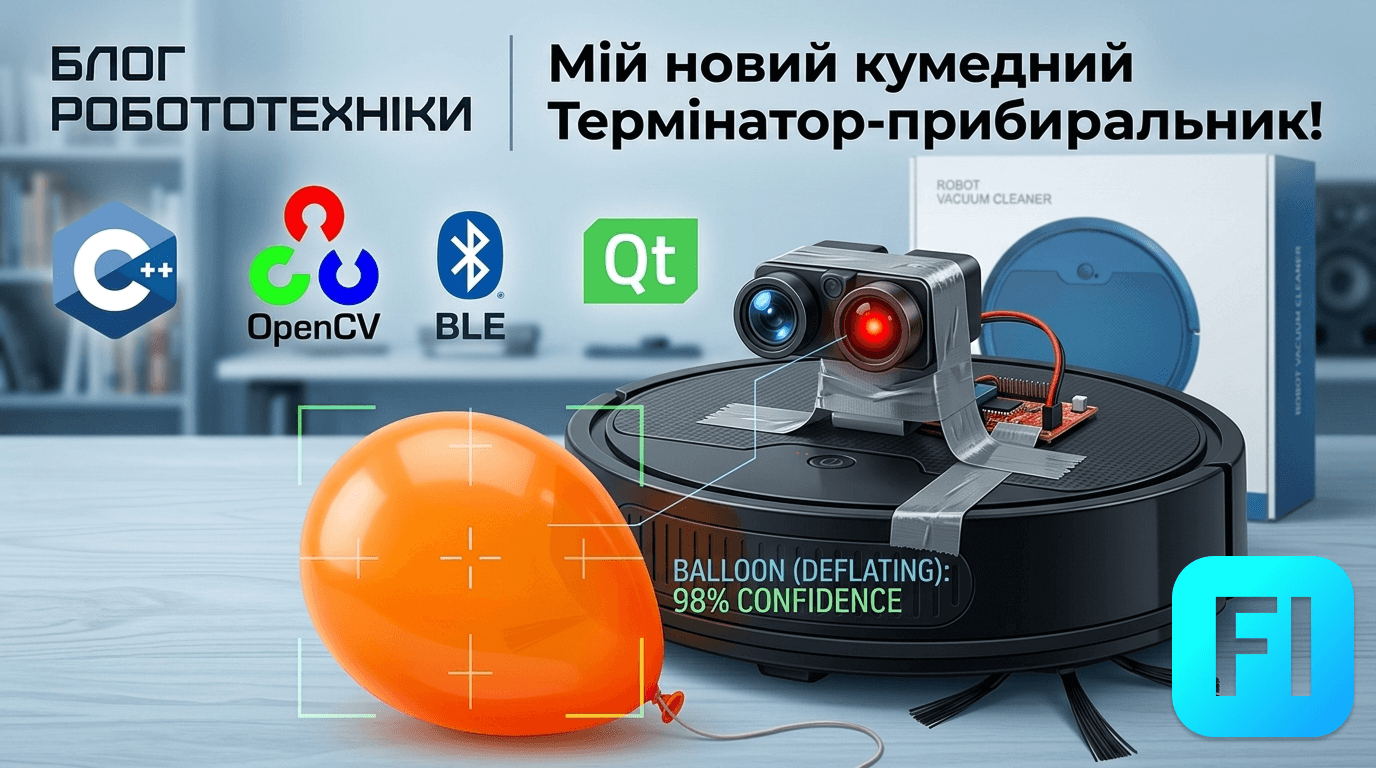
Take an old IP camera, attach it to the vacuum with tape, run balloon detection, and make the vacuum chase it. What could possibly go wrong?
Spoiler: almost everything. But that is exactly what makes it interesting.
Chapter 7. The Balloon as the Final Boss
At first glance, the task sounds simple:
- receive video from the IP camera;
- detect the balloon in the frame;
- determine where it is relative to the center of the image;
- send a movement command to the vacuum;
- repeat many times per second.
But the real world is more complicated. The camera has latency. Bluetooth has latency. The robot has inertia. The balloon moves. Lighting changes. The model may make mistakes. And tape, as it turns out, is not always an industrial standard for mounting cameras.
A basic tracking logic may look something like this:
if (!ballDetected) {
    vacuum.stop();
    return;
}

int frameCenterX = frameWidth / 2;
int ballCenterX = detection.x + detection.width / 2;

int offset = ballCenterX - frameCenterX;
int deadZone = 50;

if (std::abs(offset) < deadZone) {
    vacuum.moveForward();
} else if (offset < 0) {
    vacuum.turnLeft();
} else {
    vacuum.turnRight();
}
This is a very simplified example. In a real scenario, you also need to consider:
- detection stability between frames;
- filtering false positives;
- video stream latency;
- command rate limiting;
- safe stop when the object is lost;
- distance estimation, if possible;
- smooth control instead of sharp command switching.
Chapter 8. The Biggest Enemy Is Not the Model, but Latency
In computer vision tasks, it often feels like the main problem is the model. You need better training, a cleaner dataset, the right architecture, higher accuracy. And yes, all of that matters. But once the model starts controlling a physical device, another enemy enters the game — latency.
Delay can accumulate at every stage:
- the IP camera sends video with delay;
- the application does not receive frames instantly;
- the model spends time on inference;
- the algorithm makes a decision;
- the command travels over Bluetooth;
- the vacuum does not react immediately.
As a result, you can end up in a situation where the balloon is already on the left, but the vacuum is still heroically turning right because that is where the balloon was a few frames ago. That is not artificial intelligence anymore. That is artificial confusion.
That is why for such tasks, model accuracy alone is not enough. The entire system matters: frame capture speed, stable FPS, command frequency, smoothing logic, and proper behavior when the object is lost.
Chapter 9. What Can Go Wrong
In short — everything. In more detail, here are a few typical problems.
1. A BLE Device Does Not Always Want to Be Friends
Bluetooth Low Energy is not just “connect and write bytes.” There are services, characteristics, permissions, notifications, MTU, timings, unstable connections, and behavior that sometimes seems to depend on the moon phase, Android version, and the emotional state of the vacuum cleaner.
2. Commands Must Be Sent Carefully
If commands are sent too frequently, the device may ignore them, freeze, or behave unpredictably. For controlling a physical device, it is better to have command rate limiting and state management: do not repeat the same command unless necessary.
if (nextCommand != currentCommand) {
    vacuum.send(nextCommand);
    currentCommand = nextCommand;
}
3. Detection Is Not the Same as Understanding
A model may detect a balloon in the frame, but that does not mean the system “understands” the scene. It does not know that between the vacuum and the balloon there may be a table leg, a carpet, a threshold, or a charging cable that desperately wants to become part of the experiment.
4. Tape Is Fine for an MVP, but Not for Production
A camera attached with tape is fast, cheap, and very much in the startup spirit. But stable operation requires a proper mount, the right viewing angle, power management, cable management, and preferably not turning the vacuum into a cyberpunk hedgehog.
Chapter 10. Why Do This at All?
Honestly, the practical value of this experiment is not in creating the perfect balloon-hunting robot. The real value is in the process.
This project combines several interesting areas at once:
- reverse engineering Android applications;
- BLE protocol analysis;
- working with native libraries;
- low-level packet generation;
- physical device control;
- computer vision;
- object detection;
- tracking;
- integration of an AI model with the real world.
Experiments like this are a great way to improve engineering thinking. Because writing clean code is not enough here. You need to understand the device, the protocol, hardware limitations, network behavior, latency, model errors, and the fact that the real world does not have a safe retry() method without side effects.
Conclusion: The Vacuum Is Not Skynet Yet, but It Is Already Suspicious
This experiment began with curiosity: how does a mobile app control a robot vacuum over Bluetooth? Then it turned into BLE packet analysis, Android app decompilation, native library investigation, attempts to reproduce the control protocol, and building a custom command-sending core.
Later, computer vision joined the story: an IP camera, balloon detection, tracking, and the idea of making a simple Chinese vacuum slightly smarter than it was designed to be.
Has it become a fully autonomous robot? Not yet. Has it learned to look at the world through a camera and potentially chase a balloon? That is much closer to the truth.
The most interesting part of such projects is not only the final result, but the journey. You start with a “forward” button in an Android app and end up analyzing bytes, BLE characteristics, inference latency, and asking yourself: “Did I give this vacuum too much freedom?”
But as long as it is only chasing a balloon, humanity is probably safe.